





Creating views
Contents
In the PostHog data warehouse, you can save your most used queries as views and reference them in subsequent queries.
Creating a view
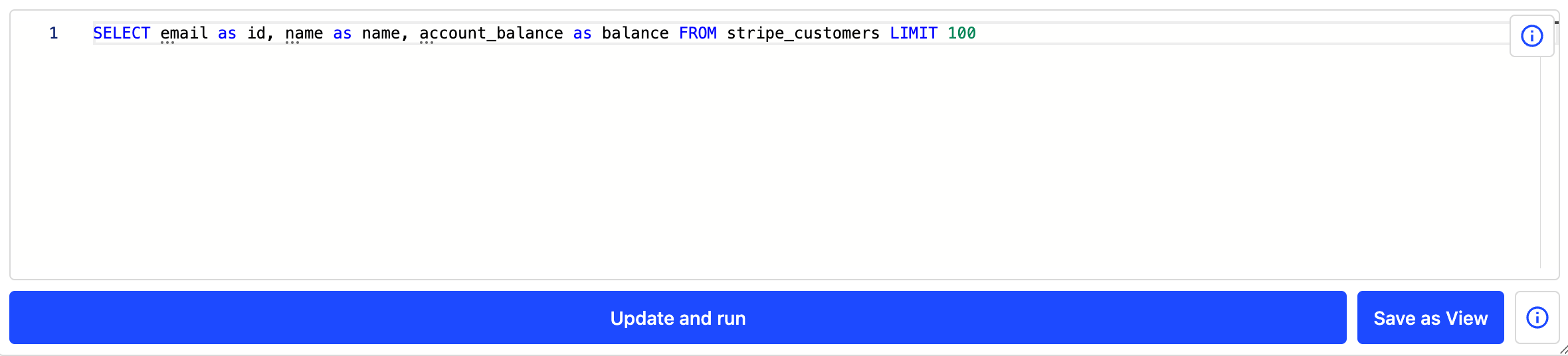
Query views are created directly inside SQL insights. If the query has valid view characteristics, the Save as view button is enabled. When clicked, you are prompted to give the view a name which can then be referenced in other queries. You can also check Materialize this view in the dialog to materialize the view immediately with a daily sync. You can adjust the sync frequency later.
For a query to be a valid view, all fields being accessed must be aliased (with the SQL as keyword). The alias names are how you access the fields on the view. This also means that we cannot use SELECT *... type SQL syntax for a query we would like to be a view since none of the columns are aliased.
Note: Nested views are supported. You can create a view based on other views.
Editing views
Open the view you want to modify in the SQL editor and make your changes. Click Update view (or Update and re-materialize view for materialized views) to save your changes.
Breaking column change protection
When you remove columns from a view that other views depend on, PostHog stops the save and shows a confirmation dialog. The dialog lists the removed columns, names up to three affected downstream views you have access to, and notes whether additional views you can't access are also affected.
Click Save anyway to confirm the change, or Cancel to go back and adjust your query. If you confirm, update the downstream views afterward so they don't fail on the missing columns.
Extending PostHog models with views
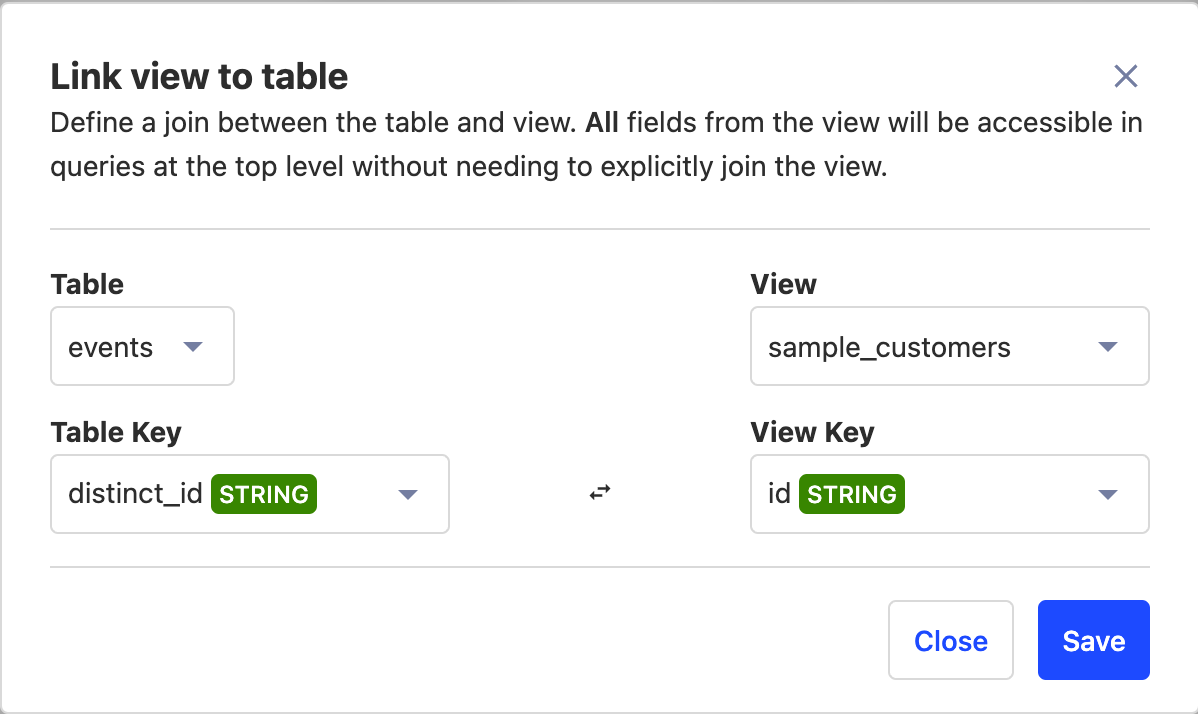
Views are a powerful tool for extending existing PostHog models for easier data access. For example, if you wanted to associate your Stripe customer data with product usage data of your users, you would normally need to manually set up a join. With views, you can attach views to PostHog models so that you can directly access those fields on the PostHog table.
To link a view to a PostHog table, go to the data warehouse section, select the PostHog tab, and click Link table to view. Select your tables, keys to join, and press save. Once done, when you query that PostHog table, you can access the data from your view.
Materializing views
Views can also be materialized and stored in the PostHog data warehouse, offering significant query performance benefits and improvements. You can learn more in the materializing views guide. A materialized view can also refresh incrementally, so each run updates only the rows that are new.